
Indoor wayfinding software
Indoor wayfinding, built from your floor plan.
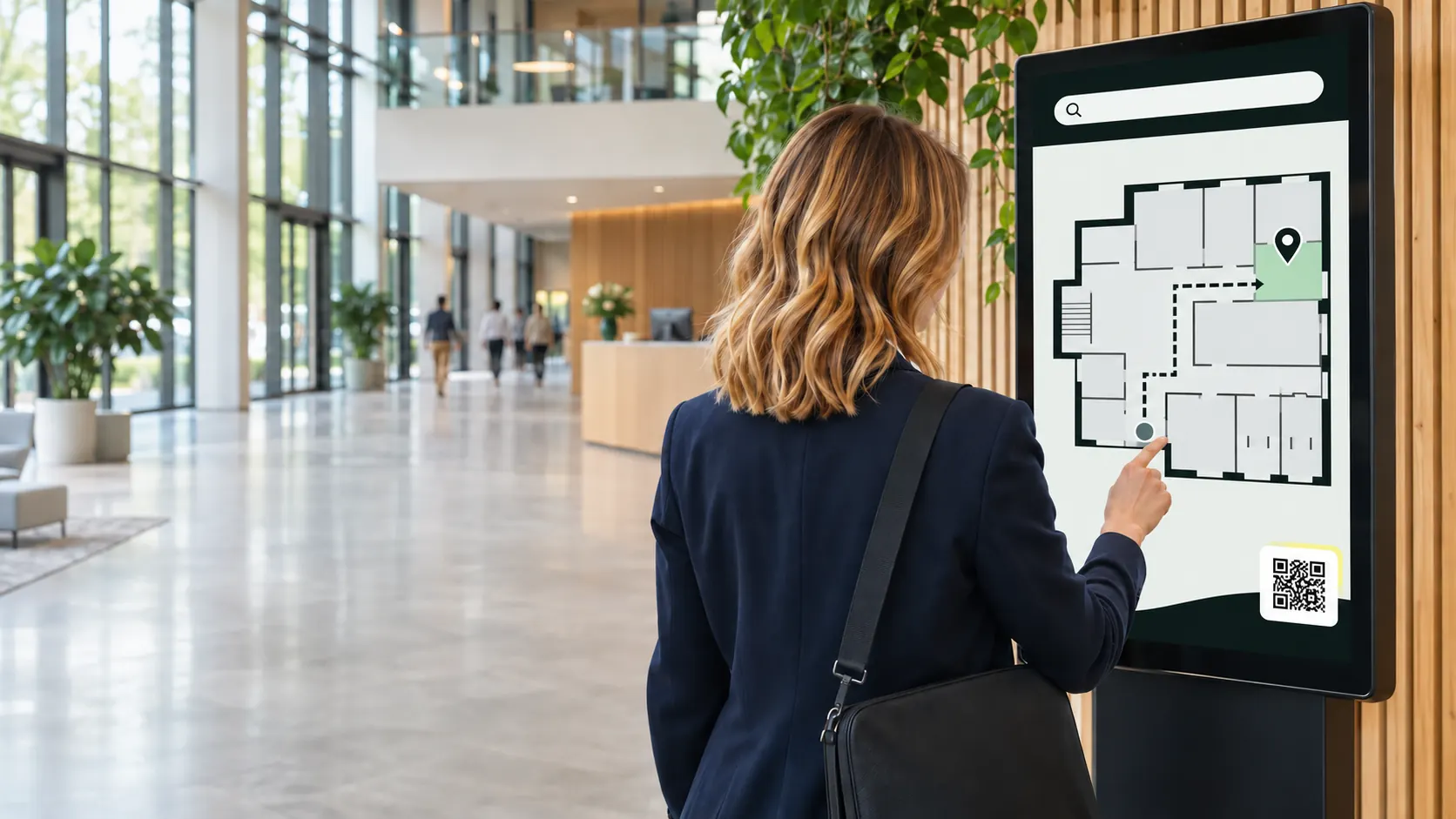
Upload a floor plan and WayScan turns it into interactive maps for kiosks and phones. Visitors pick a destination, follow an animated route, and scan a QR code to take the directions with them.
How it works
From floor plan to digital wayfinding in an afternoon
No surveying, no hardware and no developers. If you have a drawing of the building, you have everything you need.
Upload your floor plans
Add a PDF or image of each floor. WayScan reads the walls automatically, finds the rooms and even reads room names from the drawing.
Place kiosks and QR signs
Mark where your screens and signs are. Each one knows exactly where the visitor is standing, so every route starts in the right place.
Visitors find their way
They search or tap a destination, follow the animated route across floors, and scan the QR code to bring the directions along on their phone.
Features
Everything a modern wayfinding system needs
Built for receptions, lobbies and corridors where people need answers fast.
Wayfinding kiosk mode
Turn any touch screen into a digital directory with search, categories and animated routes in 2D or 3D.
QR handoff to mobile
One scan and the route opens in the phone's browser. No app, no login, no waiting.
Routes that respect walls
Paths are calculated from the real geometry of your building and never cut through walls.
Multi-floor navigation
Lifts, stairs and escalators connect floors automatically, with clear "go to floor 2" instructions.
Accessible wayfinding
Step-free routes for wheelchairs and prams, or routes that avoid stairs, chosen by the visitor.
Seven languages
English, Danish, German, Swedish, Norwegian, French and Spanish, with translated place names.
Live room availability
Show which meeting rooms are free right now, synced from Microsoft 365 and Outlook calendars.
Visitor insights
See what people search for, which destinations are most popular and where they start, with a heatmap.
Open API
Read your maps and push live status from booking, facility or signage systems through a simple REST API.
Meeting room finder
Show which meeting rooms are available, live on the map
Connect Microsoft 365 and every room on the map shows if it is free or occupied, and until when. Guests and employees find an available room and walk straight to it.
- Syncs with Outlook room calendars through Microsoft 365
- Green and red status on kiosks, phones and the editor
- Rooms are matched by name, with one click to confirm
- Only free/busy is read, never meeting details
Industries
Wayfinding for every kind of building
Hospitals and clinics
Help patients and relatives find wards, clinics and the nearest toilet, with step-free routes.
Offices and workplaces
Guide guests from reception to the right meeting room, and show which rooms are free.
Universities and campuses
Lecture halls, labs and canteens across many buildings and floors, in several languages.
Shopping centres
A digital mall directory that lets shoppers search for a store and see the way there.
Airports and stations
Gates, services and exits on kiosks, with directions passengers can take on their phone.
Museums and venues
Exhibitions, halls and facilities on an interactive map with opening hours and details.
FAQ
Questions about indoor wayfinding
What is indoor wayfinding?
Indoor wayfinding helps people find their way inside a building, for example from the entrance to a meeting room, a ward or a toilet. WayScan shows the route on an interactive map on a kiosk screen and on the visitor's phone.
Do I need beacons or other hardware?
No. WayScan knows where the visitor starts from the kiosk or the QR sign they scanned, so there are no beacons, Wi-Fi positioning or sensors to install. Any screen with a browser can be a kiosk.
Which floor plans can I use?
Upload a PDF, PNG or JPG of each floor. WayScan reads the walls automatically so routes never go through them, and it can detect rooms and read their names from the drawing.
Do visitors need to download an app?
No. Visitors scan a QR code with the phone camera and the route opens in the browser.
Can it show if meeting rooms are available?
Yes. Rooms can show live availability, set manually, through the WayScan API, or synced from Microsoft 365 and Outlook room calendars.
Which languages are supported?
The visitor interface is available in English, Danish, German, Swedish, Norwegian, French and Spanish, and place names can be translated.
Make your building easy to navigate
Upload a floor plan and see your first route in minutes.